A few words are enough.
Write a note, record your voice, add a photo or mark how you feel. There’s no word count to meet and no perfect way to begin.
A private journal for iPhone & iPad
The little things are worth remembering. Alcove brings your words, photos and places into a journal you’ll want to come back to.
Coming soon to the App Store
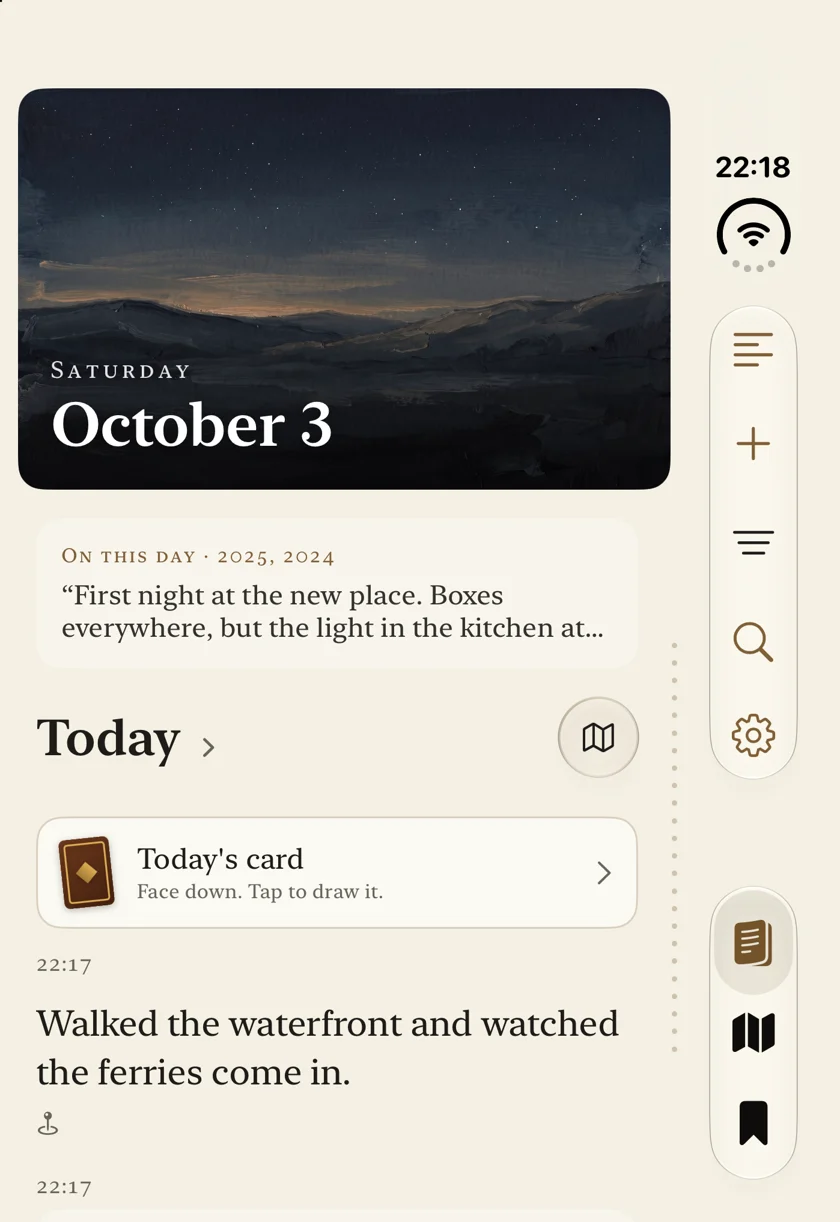
A journal that fits your life.
Write a little. Gather what matters. Come back to it.Less effort. More to remember.
Start with a thought, or let the sources you choose help fill the page.
Write a note, record your voice, add a photo or mark how you feel. There’s no word count to meet and no perfect way to begin.
With your permission, photos, walks, workouts and calendar events find their place in your timeline. You choose what to include.
Return to this day in another year, browse a scrapbook, or ask about your own entries with on-device AI on supported devices.
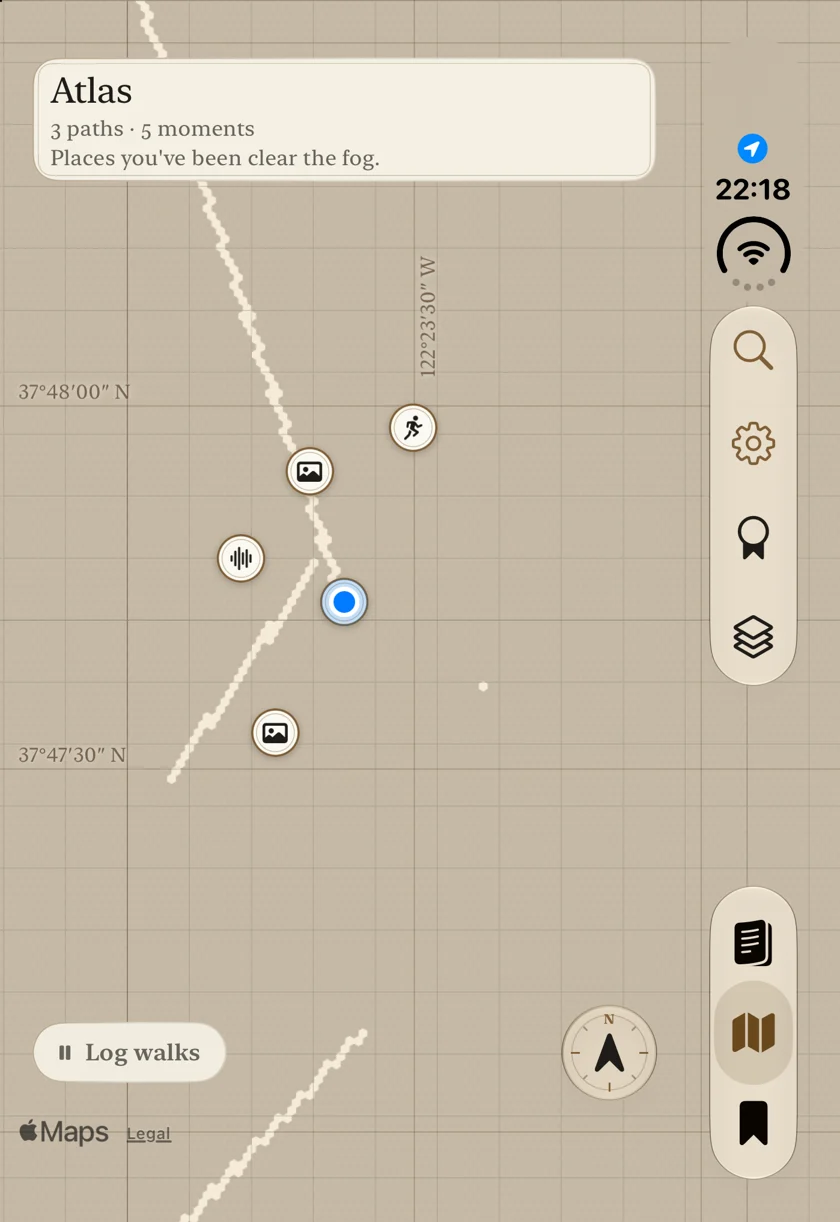
Your personal Atlas
Your walks clear the fog on a map of the world. Familiar streets, new cities and the places attached to your memories become a record of where you’ve been.
Bring your existing routes with GPX or Fog of World imports.
Make room for your next chapterPrivate by design
A journal needs room for the things you wouldn’t post. Alcove encrypts your saved entries and runs its in-app AI on your device.
Read the privacy policyEncrypted on your device. Encrypted when it syncs through your own iCloud. No journal servers operated by us.
No Alcove account, advertising or analytics. Just a place for your own life.
Writing, sync and export stay free. Download your saved entries or a restore backup whenever you choose.
Alcove is coming to the App Store for iPhone and iPad. It is not available to download yet. This page will link directly to the App Store when it launches.
No. Try all features for 3 days, then unlock them with a one-time purchase. Writing, sync and export stay free after the trial.
Alcove requires iOS 26 or later on iPhone, or iPadOS 26 or later on iPad. AI writing needs a device that supports Apple Intelligence, with Apple Intelligence enabled and a supported language. When the model is unavailable, Alcove uses simpler local text. Journaling and the map still work.
No. Choose the sources you want to gather from, or just write your own entries. Photos, calendar, Health and location each need your permission.
Your saved journal is encrypted on your device and syncs as encrypted data through your own iCloud. We operate no journal servers, collect no analytics and cannot read your entries. In-app AI runs on your device. See the privacy policy for Apple services, backups and exports. Read the full privacy policy.
Yes. Export a readable copy of your saved entries or a restore backup without purchasing an unlock. You can also import GPX routes and Fog of World backups into your Atlas.

Your next chapter
Try every feature for 3 days.
One purchase to unlock. No
subscription.
Alcove isn’t available to download yet.
For early access
questions,
get in touch.
For iPhone and iPad · iOS / iPadOS 26 or later
AI writing
requires Apple Intelligence on a supported device.